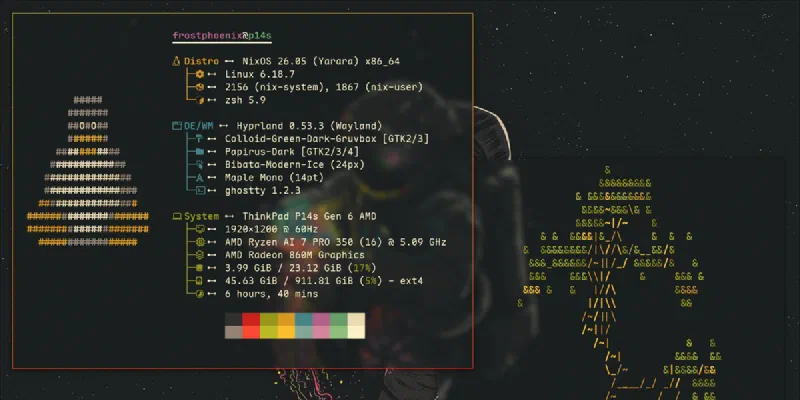
A desktop that's entirely yours
Bars, themes, keybinds and wallpapers all live in your config, so your setup survives a reinstall.
Welcome to The Nix Arms · est. generation 1
NixOS is Linux you describe instead of tinker with. Write down what you want, rebuild, and if anything breaks, pick yesterday from the boot menu. Pull up a stool and I’ll show you round. Kids and dogs welcome.
Free, open source, and you can try it in a virtual machine first. No commitment.
Tonight's order: one gaming PC
# configuration.nix: the whole machine
{ pkgs, ... }: {
  networking.hostName = "the-snug";
  services.desktopManager.plasma6.enable = true;
  programs.steam.enable = true;
  programs.gamemode.enable = true;
  environment.systemPackages = with pkgs; [
    firefox discord obs-studio
  ];
}
House rules
Every change creates a new generation, which is a save point for your whole system. If an update goes wrong, pick the last good one from the boot menu.
Your apps, settings, drivers and users are all written down. On a new PC you copy the config across and rebuild, and it’s your machine again.
nixpkgs has over 100,000 packages, more than any other Linux distro. If it runs on Linux, it’s probably in there.
At the bar
Say where you're coming from and you'll get the right guide.
Think of NixOS as System Restore that actually works, plus an app list you can carry to any PC. The guide also lists what won’t come with you.
Read the Windows guideYour carefully tuned setup, as code you can git push. No more archaeology in /etc trying to remember what you changed last year.
Read the Arch guideGNOME and KDE work just as you know them, but upgrades are all-or-nothing, so a bad one never leaves you stranded halfway.
Read the Ubuntu guideSteam with Proton, Heroic, Lutris and gamemode, switched on in a handful of lines. Your library comes with you, mostly.
Read the gaming guideTonight's specials
Bars, themes, keybinds and wallpapers all live in your config, so your setup survives a reinstall.
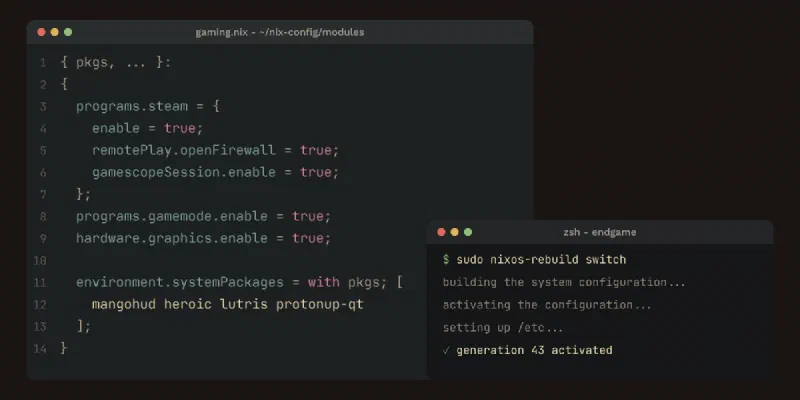
Steam, Proton, gamemode, MangoHud and a couch-ready gamescope session.
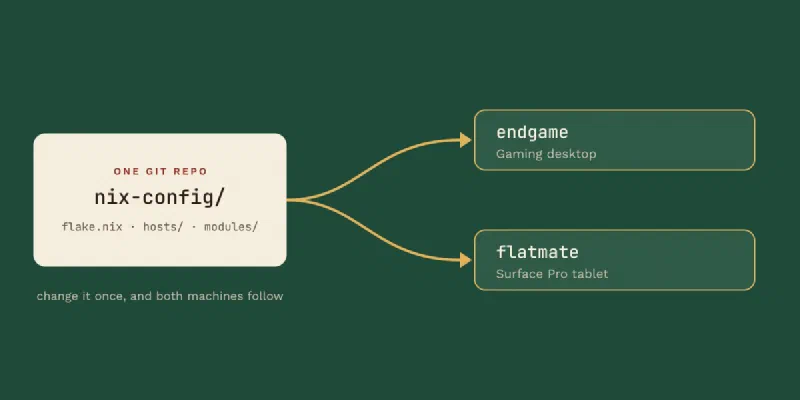
A desktop and a tablet built from one repo. Change a setting once and both pick it up.
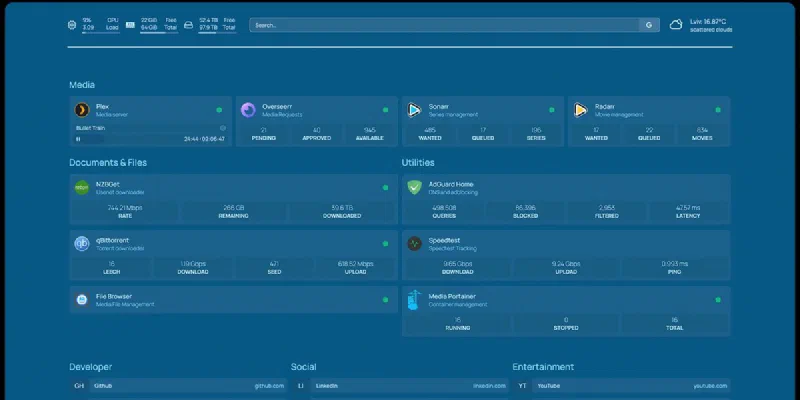
A media server, photo backup, ad blocking and a dashboard to watch it all. Each is a few lines of config.
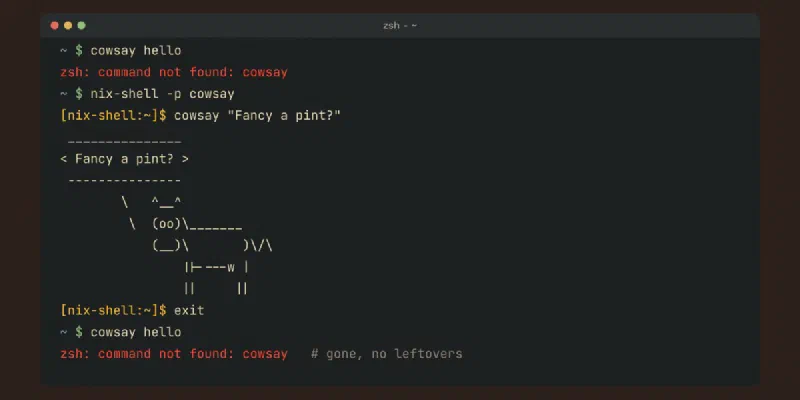
Run something once, close the terminal, and it's gone. No leftovers, no clutter.
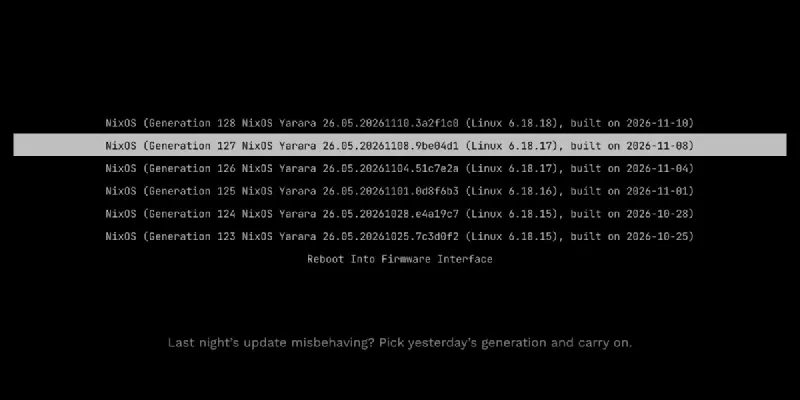
Try a new desktop tonight. Don't like it? Yesterday's system is still in the boot menu.
Chalked up for newcomers. No computer science degree required.
A save point for your whole system. You can boot into any of them.
“Apply my changes.” You edit the file, then rebuild to make it real.
The cellar. Where every package lives, and the place you search for apps.
A recipe with the exact version of every ingredient written on it. Same pint, every time.
The same idea, for your own apps and dotfiles rather than the whole system.
Saying what you want, not the steps to get there. Like ordering, not brewing.
Propping up the bar
Real configs worth reading, each with notes on what to borrow.
Minimal and standard flake templates with heavy comments, designed to be the thing you copy on day one.
An AMD gaming desktop and a Surface Pro tablet from one den config, with every feature written as a reusable aspect.
From the author of the NixOS & Flakes Book: desktops, servers and macOS, all in one place.
Last orders
One for the road
nix-shell -p cowsayOpens a shell with the app available. Type exit and it’s gone again. Nothing was installed.
sudo nixos-rebuild switch --rollbackSwitches straight back to your previous generation, no reboot needed.
sudo nixos-rebuild testApplies your config now but leaves it out of the boot menu. Don’t like it? Reboot and you’re back where you were.
nixos-rebuild build-vmBuilds a virtual machine from your config. Run ./result/bin/run-*-vm to try big changes without touching your real system.
nixos-rebuild list-generationsLists every generation with its date, NixOS version and kernel, so you know exactly what you’d be rolling back to.
sudo nix-collect-garbage --delete-older-than 14dDeletes generations older than two weeks and frees the disk space they used. You can’t roll back to those any more, so keep a recent good one.
nix.gc = {
  automatic = true;
  dates = "weekly";
  options = "--delete-older-than 14d";
};
Add this to your config and NixOS clears old generations every week, so you never have to remember.
nix.settings.auto-optimise-store = true;Nix spots identical files across packages and stores them once. Add it to your config and rebuild.
nix search nixpkgs obsSearches every package from the terminal (needs flakes). Or use search.nixos.org in your browser.
nix run nixpkgs#helloDownloads and runs an app in one go, without adding it to your config (needs flakes).
Pull up a stool
Questions, setups and the odd friendly argument. Come and say hello.
New guides and Regulars in your feed reader: RSS feed